In this post I'm gonna show how to use custom fonts in Material UI in React application. The reason is that I found it troubling and seemingly intuitive setup didn't work.
We will use external fonts from these 2 sources:
- TrueType font (
.ttf file), fountsourcefont as NPM packages.
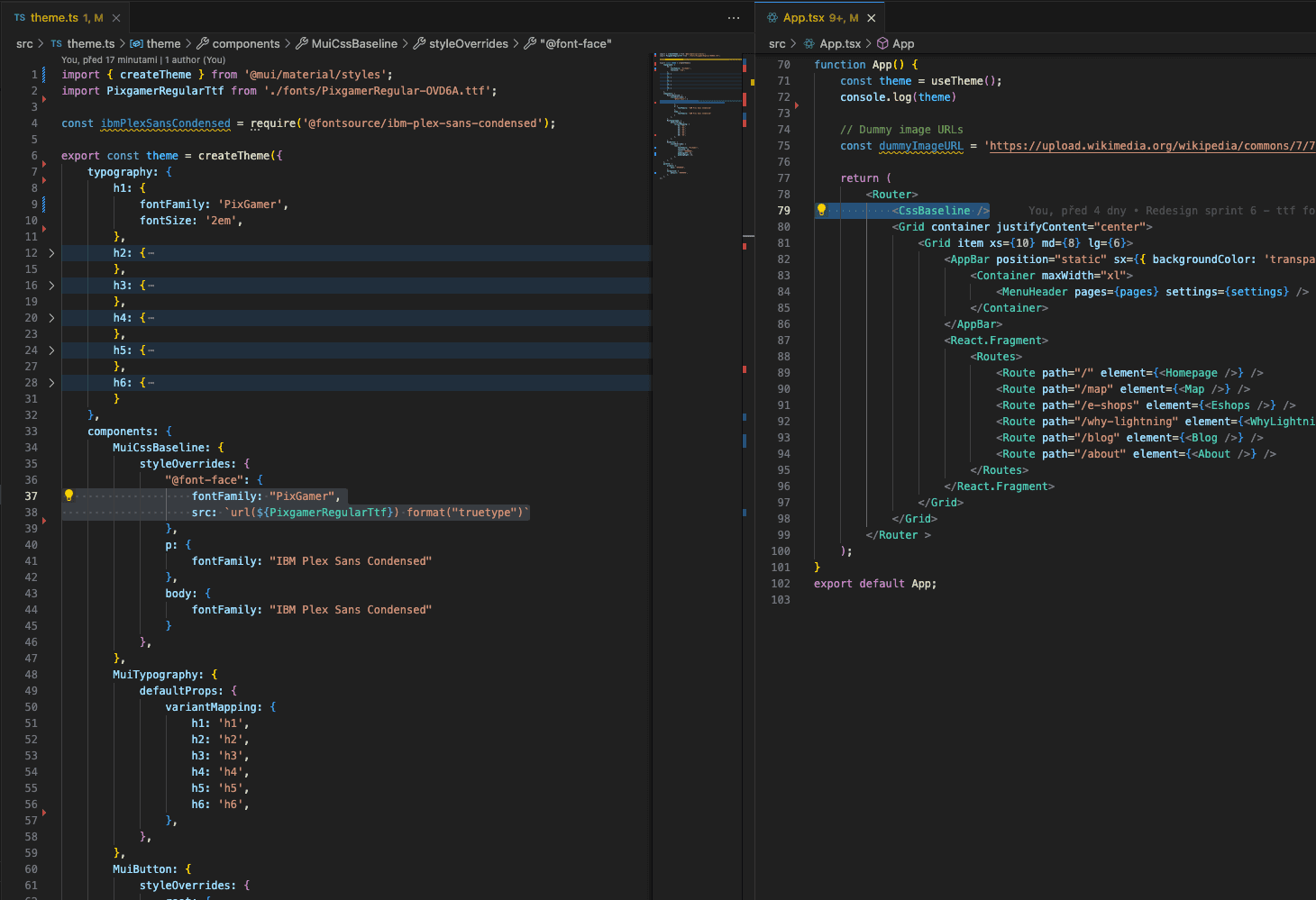
We use createTheme 1 for styling of our web application. Watch for fonts PixGamer and IBM Plex Sans Condensed in screenshot - how they are used.
TrueType font
Some fonts, unfortunately, are only distrubuted as .ttf or .woff.
We must load font in MuiCssBaseline2 in theme.js (external file including createTheme) and specify source src there. We then must use <CssBaseline /> which "serves as CSS reset" for MUI. Also, .tff is specified as truetype in import format.
Once we have these things in place, we use font in typography.
fontsource font
This is way easier with no ambiguity. First install the font via npm.
npm i @fontsource/ibm-plex-sans-condensedWe than see that font has appeared in package.json
{
  "name": "...",
  "version": "0.1.0",
  "private": true,
  "dependencies": {
    "@fontsource/ibm-plex-sans-condensed": "^5.0.13",
    ...
In theme.js import the font before theme definition as follows
const ibmPlexSansCondensed = require('@fontsource/ibm-plex-sans-condensed');and then reference it around as IBM Plex Sans Condensed.
Final word
By applying these steps you are able to quickly plug in fonts into your MUI setup from external sources without any trouble.